

IP Tools for Excel 3.6
Retrieves IP information to save to Excel
Program info


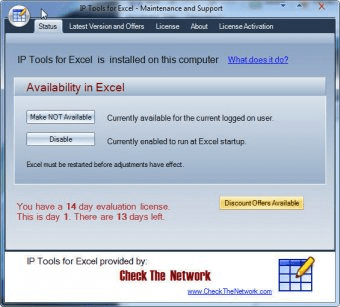
NEW Version - IP Tools for Excel - Add-in / Plug-in for Microsoft Excel
Instant Productivity - Instant Results - in Microsoft Excel
Provides functionality to execute and display results from commands and functions: ping, nslookup, tracert, OpenTCP, OpenHTTP, GetCertificateSSL()
--- Ping sweep or nslookup an entire list of IP addresses or names instantly - Very Fast Results
--- Subnet Calculator in Excel
Features:
- Right click and choose command on any cell or range including entire column up to 1,048,576
- Get SSL certificate from server and test the expiry date. Any x.509 certificate field
- Nslookup - DNS lookup forward or reverse -- Do they match
- Trace Route via the tracert command
- Ping any selected list of IP addresses or host names - sweep it - run continuous
- openTCP ports and scan - openHTTP to test web
- Ping packet parameters are customizable - 1 to 200k pings per address
- Launch to http or https from any list of host names or IP addresses
- Launch SSH Telnet RDP connections
- Sort IP Addresses in Excel - 192.168.45.252 does not come before 192.168.45.54
- Output directly in Excel with 1000's of output and format options
- Set output to ANY cell
Comments
Cell Shading
Text Color
- Subnet Calculator
- IPAM
- And more
*** GUI interface for setting options and settings
Very Fast Results output with as many display options. More
Details
Extensions

No information available
The data will be available later.Awards

Recent downloads


Latest updates


Suggestions
- Excel ip lookup
- Ip tools for excel
- Nslookup utility
- Managing ip address excel
- Ip sweep tool
- Sort ip address on excel
- Ping ip address for excel
- Dns lookup gui app